Validating HMAC tokens with Cloudflare
By Stephane Nouvellon
- 4 minutes read - 680 wordsIntroduction
HMAC is widely for securing access to content with expirable tokens. HMAC stands for Hash-Based Message Authentication Code and the goal of this article is to learn how to manipulate and use HMAC tokens in combination with Cloudflare.
Cloudflare mostly provides two ways to deal with HMAC tokens:
- Firewall rules https://developers.cloudflare.com/firewall/recipes/require-valid-hmac-token/
- Workers (Cloudflare’s Serverless platform) - https://developers.cloudflare.com/workers/examples/signing-requests/
The first thing to know about HMAC is actually how to use it efficiently. HMAC is a great signature methodology since it’s a synchronous hashing mechanism that allows both a front-end and some other reverse proxy layers (Cloudflare in our case) to only accept content being generated from controlled sources. This method doesn’t require any statefullness excepted the share key that will be used to calculate the hashes.
e.g if you go to https://www.justalittlebyte.ovh/ and you get the link from the Kayak video you’ll see that this link is changing all the time.
https://www.justalittlebyte.ovh/tokenauth/kayak.mp4?verify=1657026353-ZXJWAyFwAgJSY%2B5j3CkJE80TatA33E3MEH4D%2FkSnh7M%3D
See how the token is being transported in the URL. In this case, it’s embedded inside a query string. You’ll see that the mac message is composed of two main parts:
- The timestamp when the token was generated
- The hash of the message
Because I also run www.justalittlebyte.ovh, I’ll tell you what I’m doing exactly.
<?php
// Generate valid URL parameter
$secret = "cloudflare";
$time   = time();
$param  = $time . "-" . urlencode(base64_encode(hash_hmac("sha256", "/tokenauth/kayak.mp4$time", $secret, true)));
$url    = "/tokenauth/kayak.mp4?verify=" . $param;

?>
This is actually quite simple to generate a valid token when you have the shared key (my key is cloudflare, just in case you want to play around)
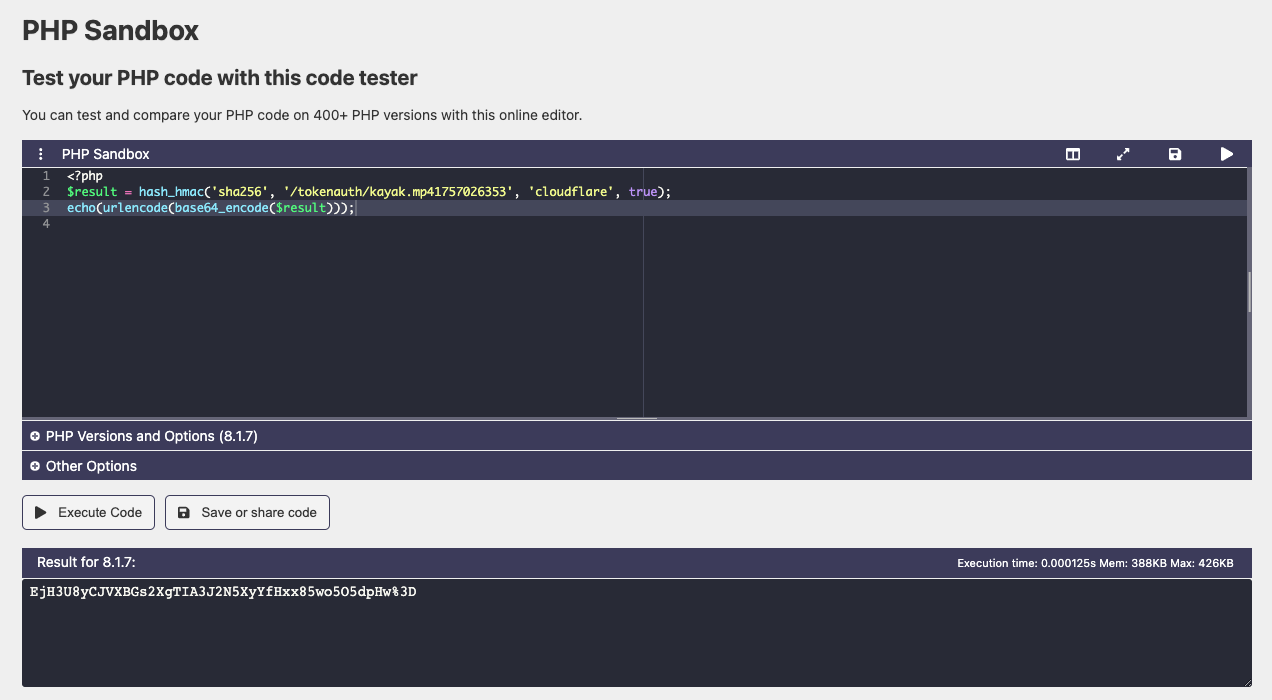
You can see that I cheated, I used an EPOC timestamp that’s in the future (1757026353 is Thursday, 4 September 2025 22:52:33). But I can do that because I have access to the shared key, that’s the main flaw of that mechanism (not surprisingly).
If I had to do forge a request implementing my token, I’d need to base63_decode it and urlDecode() it too, which gives me something like this
https://www.justalittlebyte.ovh/tokenauth/kayak.mp4?verify=1757026353-EjH3U8yCJVXBGs2XgTIA3J2N5XyYfHxx85wo5O5dpHw%3D
Token validation with Cloudflare
Understanding how HMAC works is a done job I guess now, let’s now see how to actually enforce it on your website!
With Cloudflare Workers
Cloudflare workers is the serveless computing platform Cloudflare provides. It allows you to run ephemeral functions on top of your incoming requests.
The workers script running on your zone must be the following
addEventListener('fetch', event => {
  event.respondWith(fetchAndLog(event.request))
})
async function fetchAndLog(request) {

  let url = new URL(request.url)

  if (url.protocol == "http:") {
    url.protocol = 'https:'
    return Response.redirect(url.href, 301)
  }

  if (url.searchParams.get('verify') && url.searchParams.get('verify').match(/^\d.*-.*$/)) {
    const encoder = new TextEncoder()
    const token = url.searchParams.get('verify').split('-')[1]
    const timestamp = url.searchParams.get('verify').split('-')[0]
    const expiration = 60
    let verify

    let key = await crypto.subtle.importKey(
    "raw", encoder.encode("cloudflare"),
    {name: "HMAC", hash: {name: "SHA-256"}},
    false, [ "verify" ]
    )

    try {
      verify = await crypto.subtle.verify(
      "HMAC", key,
      byteStringToUint8Array(atob(token)),
      encoder.encode(url.pathname + timestamp)
      )
    }
    catch (err) {
      return new Response('TOKEN VERIFICATION FAILED', { status: 403 })
    }

    if (!verify){
      return new Response('INVALID TOKEN', { status: 403 })
    }
    else if (Math.floor(Date.now()/ 1000) - timestamp > expiration){
      return new Response('TOKEN EXPIRED', { status: 403 })
    }
    return await fetch(request)
  }
  return new Response('NON VALID TOKEN PROVIDED', { status: 403 })
}

function byteStringToUint8Array(byteString) {
  const ui = new Uint8Array(byteString.length)
  for (let i = 0; i < byteString.length; ++i) {
    ui[i] = byteString.charCodeAt(i)
  }
  return ui
}
With a Firewall Rule
Cloudflare provides a wide range of security features, among which a firewall engine is provided. This engine all type of control on the incoming HTTP requests and especially some functions that are of interest in our quest to validate incoming HMAC messages.
See more at https://developers.cloudflare.com/ruleset-engine/rules-language/functions/#hmac-validation-examples
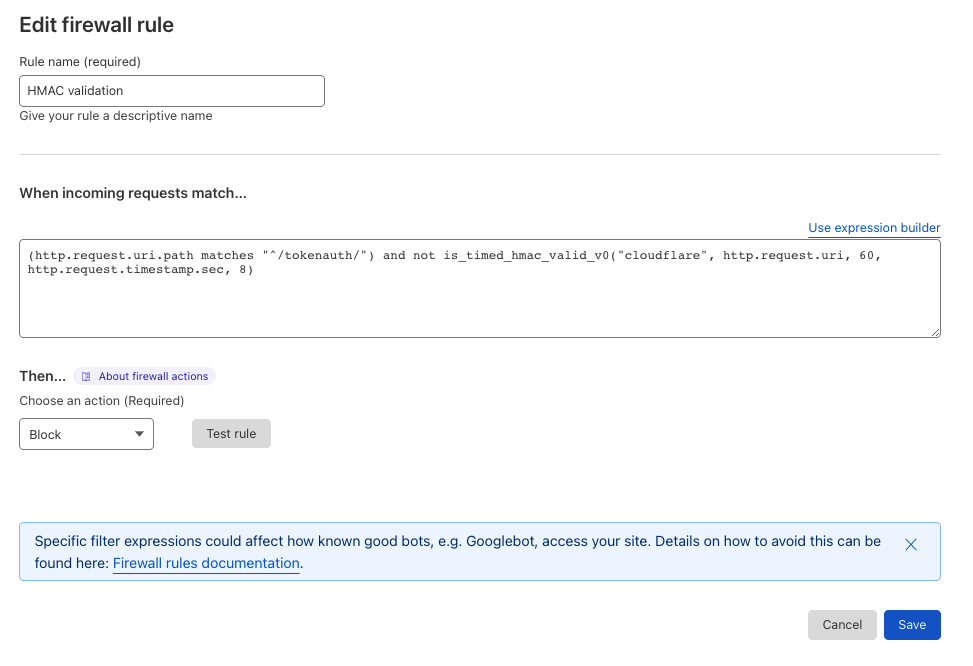
(http.request.uri.path matches "^/tokenauth/") and not is_timed_hmac_valid_v0("cloudflare", http.request.uri, 60, http.request.timestamp.sec, 8)
The sequence above is reproducing the algorithm we used in PHP and via the online tool that generates signatures, but this time this logic is used to validate incoming tokens. You can find the shared key, the expiration as well as the format of the HMAC message that the firewall rule will have to follow. This function return a boolean (true|false).